If you only read this
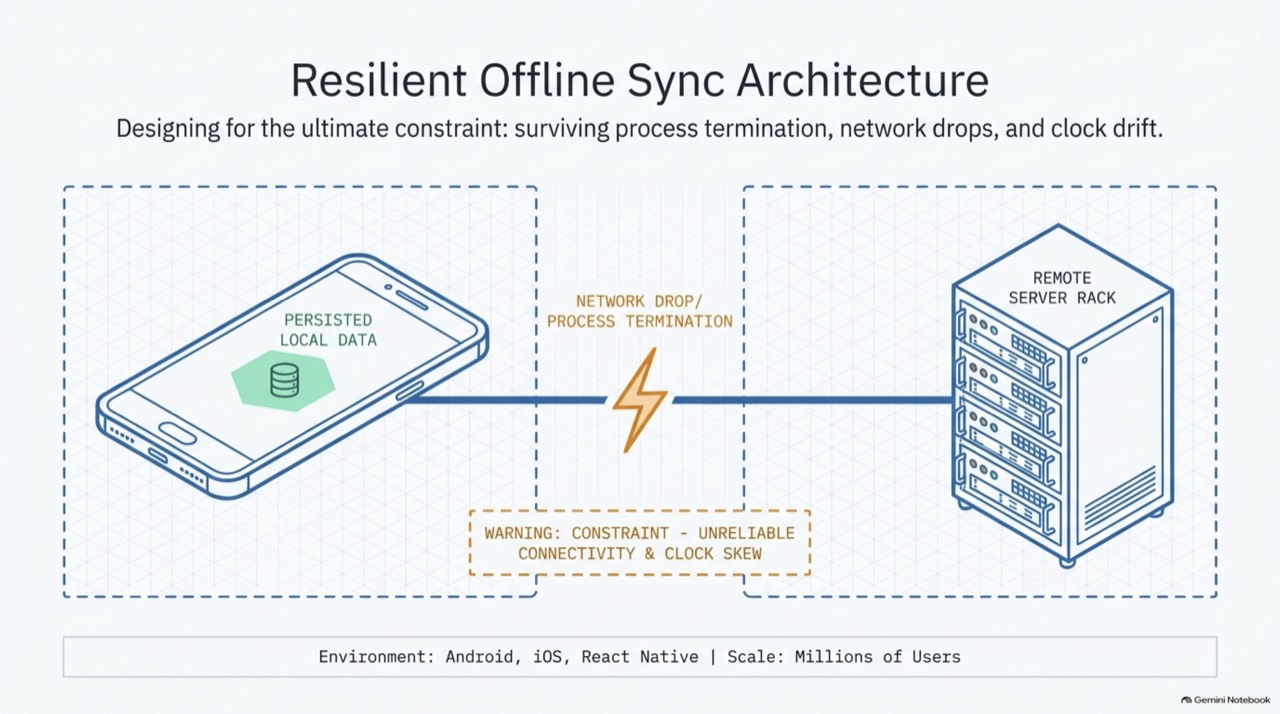
- You can't keep an app alive in the background. Make every step safe to kill and resume.
- The UI reads only the local database. A write goes to the DB and an
outboxin one transaction. - A sync engine pushes the outbox with idempotent
op_ids and pulls changes by a server sequence cursor. - Files travel separately: hashed, split into parts, uploaded straight to object storage, checkpointed per part.
- The OS runs the work: WorkManager on Android; BGTaskScheduler and background URLSession on iOS. React Native keeps this native.
01The basement upload
A field engineer finishes an inspection in a basement with one bar of signal. She taps Submit on 40 photos, watches a spinner, and swipes the app away to take a call.
In most apps those photos are now in limbo. In a well-built one, nothing is lost. The upload pauses. The OS wakes the app when signal returns. Only the parts that never reached the server are sent again, and she never has to think about it.
This post is about building the second app, and about explaining how you built it to a hiring panel.
02The rule the OS enforces
Both platforms protect battery and memory by stopping apps that are not on screen. Here is what your code can do in each state.
| State | Android | iOS | Your code can |
|---|---|---|---|
| Foreground | Runs | Runs | Do anything |
| Just backgrounded | Runs briefly, then cached | A few seconds via beginBackgroundTask | Finish the current write |
| Suspended | Cached process, no guarantee | Frozen, no code runs | Nothing |
| Killed | Memory pressure, Force Stop, OEM battery killers | Memory pressure, user swipe | Nothing. Only disk survives |
| Woken by OS | WorkManager job, FCM message | BGTask, URLSession event, silent push | Run a short, bounded job |
Every design decision below follows from that line. Pending edits live in a table. Upload progress lives in a table. The sync position lives in a table. The process is disposable.
03Explain it like a restaurant
When an interviewer says "explain it to me simply", use a busy restaurant. Every part of the system has a counterpart that everyone already understands.
04The architecture on one screen
The local database is the hub. The UI only reads it. Workers that the OS schedules move its changes to and from the backend, and file bytes skip the API entirely.
05Kill it yourself
This is a working model of the design. Add notes, attach a video, cut the network and kill the app. Watch what survives in SQLite and what the server receives.
Site notes
SQLite · outbox0
SQLite · sync state
Server · change logseq 1041
Five things to try
- Turn the network off and add three notes. They show instantly and wait in the outbox.
- Attach the video, kill the app halfway, then press OS wakes app. Only missing parts upload.
- Press Replay last request. The server spots the repeated
op_idand writes nothing new. - Kill the app, then Edit on another device. Nothing arrives until the OS wakes the app.
- Watch
cursor. It only moves after a page of changes is safely applied.
06Sync in four moves
Write locally
Row + outbox entry in one transaction. UI updates now.
Push
Send outbox ops with op_id. Server dedupes and orders them.
Pull
Ask for changes since the cursor, one page at a time.
Commit
Apply the page and save the new cursor in the same transaction.
Push first, so the server sees your edits before it answers what changed. Here is the whole contract.
1// push: idempotent by op_id2POST /v1/sync/push3{ "ops": [{ "op_id": "018f3c7a-9b", "entity": "note", "id": "n-77",4 "type": "update", "base_version": 12, "fields": { "title": "Pump room B" } }] }5→ { "results": [{ "op_id": "018f3c7a-9b", "status": "applied", "version": 13, "seq": 1042 }] }6 7// pull: ordered by server sequence, never by timestamps8GET /v1/sync/pull?cursor=c_1041&limit=5009→ { "changes": [ { "seq": 1042, "entity": "note", "id": "n-77", "version": 13, "fields": { … } },10 { "seq": 1043, "entity": "note", "id": "n-12", "deleted": true } ],11 "next_cursor": "c_1043", "has_more": false }07Pick a conflict strategy
There is no single right answer. Choose per entity by asking what a lost edit would cost. Pick an example.
08Moving huge files
Records and bytes are different problems, so they get different pipelines. A file upload is a small state machine, and every state is a value in a table.
- Copy first. Copy the file into app storage. A gallery URI can disappear.
- Hash it. SHA-256 lets the server say "I already have this" and verify the result.
- Split it. S3 multipart parts of 8–16 MB (minimum 5 MB, except the last).
- Go direct. Presigned part URLs send bytes straight to storage, never through your API.
- Checkpoint. Save each part's ETag the moment it lands. A kill costs one part at most.
What a checkpoint saves you
09Platform playbook
Same design, three runtimes. The tools differ, and so do the traps.
| Need | Use |
|---|---|
| Sync soon after an edit | WorkManager one-time, expedited, unique name |
| Periodic catch-up | PeriodicWorkRequest (15 min minimum), network constraint |
| Huge transfer the user started | User-initiated data transfer job (API 34+), or a typed foreground service |
| Server has new data | FCM data message → enqueue sync work |
1class UploadWorker(ctx: Context, p: WorkerParameters) : CoroutineWorker(ctx, p) {2 override suspend fun doWork(): Result {3 val t = repo.get(inputData.getString("fileId")!!) ?: return Result.success()4 for (part in t.missingParts()) { // resume from the DB5 if (isStopped) return Result.retry()6 repo.markPartDone(t.id, part.n, repo.put(part)) // checkpoint each part7 }8 repo.complete(t.id); return Result.success()9 }10}- Android 14+ requires a declared foreground-service type, and Android 15 caps
dataSyncservices at about 6 hours a day. - Doze and App Standby Buckets slow down rarely used apps. OEMs like Xiaomi and Oppo kill harder, so test on them.
- Force Stop cancels all scheduled work until the user opens the app again.
| Need | Use |
|---|---|
| Finish what the user just did | beginBackgroundTask (seconds) |
| Quick catch-up | BGAppRefreshTask (~30 s, OS picks the time) |
| Heavy work | BGProcessingTask, usually overnight while charging |
| Huge files | Background URLSession, one upload task per part file |
| User-started long task | BGContinuedProcessingTask (iOS 26+) with system progress |
1// iosMain (Kotlin Multiplatform): iOS schedules it, the shared Kotlin engine does the work2fun registerSync(engine: SyncEngine, scope: CoroutineScope) {3 BGTaskScheduler.sharedScheduler.registerForTaskWithIdentifier("com.app.sync", usingQueue = null) { task ->4 scheduleNextSync() // always re-schedule first5 val work = scope.launch { engine.runOnce(budget = 25.seconds) }6 task?.expirationHandler = { work.cancel() } // the OS wants its time back7 work.invokeOnCompletion { task?.setTaskCompletedWithSuccess(!work.isCancelled) }8 }9}- A swipe-kill cancels background URLSession transfers. Resume from your saved parts on next launch.
- With
.completefile protection the DB is unreadable while locked. UsecompleteUntilFirstUserAuthenticationfor sync stores. - Silent pushes are throttled. Treat them as hints, never as a schedule.
The JS runtime is not reliably alive in the background. Keep scheduling, transfers and the sync engine native, and let JS observe the database.
| Layer | Lives in |
|---|---|
| Screens, navigation, UI state | JS / TypeScript |
| DB access for UI | JSI database (WatermelonDB or op-sqlite) |
| Sync engine, scheduling, transfers | Native modules, or a shared KMP / Rust core |
| Progress and status | Native writes SQLite, JS observes |
1// JS writes locally, asks native to sync, returns at once2await db.write(async () => {3 const note = await notes.create(n => { n.title = title; n.syncState = 'pending' });4 await outbox.create(o => { o.opId = uuidv7(); o.entityId = note.id; o.op = 'create' });5});6SyncModule.requestSync({ reason: 'user_edit' }); // WorkManager / BGTask underneath- Never move file bytes through JS. Pass a file URI to native code.
- Headless JS exists only on Android, so it can't be your cross-platform plan.
- App Center CodePush was retired in March 2025. EAS Update is the usual replacement.
10Scaling the backend
The backend scales because no request needs server memory of a client. The client carries its cursor, every write is idempotent, and bytes bypass the API. Add each stage when a signal says you need it.
- one Postgres
- monolith sync API
- presigned S3
- read replicas
- Redis for op_id dedupe
- push hints + CDN
- partitioned change log
- CDC to Kafka
- CDN snapshots for first install
- sharded DB
- multi-region cells
- data residency
11Myths that cost offers
Tap a card to see what's actually true.
12Interview kit
I design for the app being killed. The UI reads only a local SQLite database, every write lands in an outbox in the same transaction, and a sync engine pushes it with idempotent op IDs and pulls changes by a server sequence cursor. Files go separately as checkpointed multipart uploads straight to S3. The OS runs it all: WorkManager on Android, BGTaskScheduler and background URLSession on iOS.
Mobile OSes stop background apps to save battery, so I never try to stay alive. I persist intent instead. A user edit writes the row and an outbox entry in one SQLite transaction, so the UI is instant and works offline. When the OS runs our job, the sync engine pushes outbox ops with client-generated op IDs, which the server dedupes, so retries are always safe. Then it pulls changes after its cursor, a server-assigned sequence, and saves the new cursor in the same transaction as the data. Conflicts are chosen per entity: last-write-wins for low-value fields, a 409 and merge for important records, operations for counters. Large files are hashed, split into parts and uploaded through presigned URLs, with each part checkpointed, so a kill costs one part at most. On Android that's WorkManager and user-initiated data transfer jobs; on iOS, BGTaskScheduler and background URLSession; in React Native the same native modules, with JS only observing the DB. The backend is stateless with a partitioned change log, CDN snapshots for first install and coalesced push hints, so it scales horizontally.
- Draw the phone. Inside: UI, local DB (big, in the middle), outbox.
- Draw the OS scheduler waking a sync engine and a transfer manager.
- Draw the backend: gateway, stateless sync API, Postgres with a change log.
- Draw S3 off to the side, with an arrow from the phone that skips the API.
- Draw the push notifier pointing back at the OS scheduler.
- Walk one edit end to end, then kill the app halfway and show it resume.
Worked examples to reach for
When a panel says "give me a concrete example", pick the one closest to their product.
Field inspection app
200k technicians · 2 GB photos each per weekThat's about 400 TB of uploads a week, so bytes must go direct to S3 with dedupe by hash and lifecycle rules to cheaper storage. Sync only each technician's assigned jobs. Prefetch job packs on Wi-Fi and charging. Compress photos on device before upload.
Clinic booking app
appointment slots · patient notes · offline front deskBookings are server-authoritative: the app proposes a slot offline and shows "pending confirmation". Notes use 409-and-merge so no clinician's edit is lost. Patient data is encrypted at rest with keys in Keystore or Keychain.
Retail point of sale
stores keep selling during an outageSales write to a local ledger. Inventory changes are operations ("−2 units"), not new totals, so two tills never overwrite each other. Every sale carries an op_id, so replaying after reconnect can't double-charge or double-count.
Rapid-fire answers
How do you keep the app running in the background?
What survives a kill?
Push or poll?
How do deletes reach a device that was offline?
How do you stop a retry storm after an outage?
How do you know sync is healthy?
What would you build first with three months?
Check yourself
13Glossary and further reading
- Outbox
- A local table of pending changes, written in the same transaction as the data.
- op_id
- A client-generated ID per change. The server uses it to ignore duplicates.
- Cursor
- The last server sequence number the device has applied. It asks for changes after it.
- Tombstone
- A record saying "this was deleted", kept long enough for offline devices to learn it.
- Presigned URL
- A short-lived URL that lets the device upload one object straight to storage.
- Multipart upload
- A large file sent as numbered parts, then assembled by the storage service.
- UIDT job
- Android's user-initiated data transfer job, for long transfers the user started.
- Background URLSession
- iOS transfers run by a system daemon, outside your app's process.